Take the Step Challenge at EMERGE!
The Annual Emerge Step Challenge sponsored by Meet Minneapolis is back!
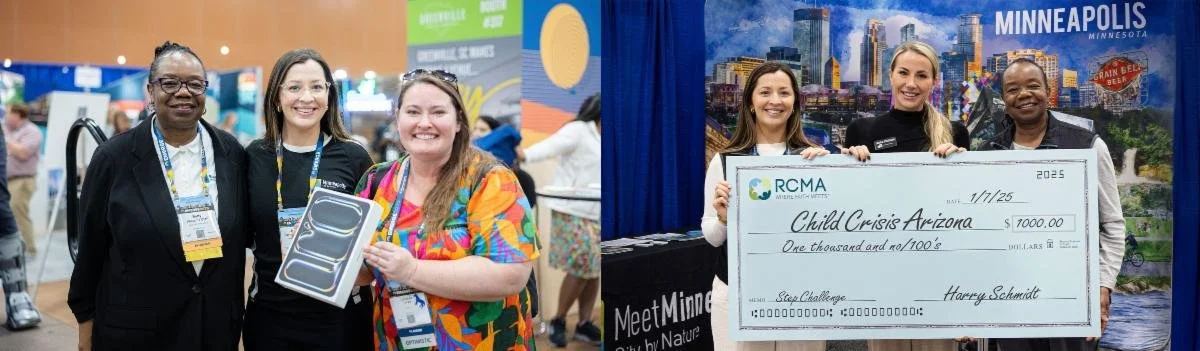
In 2025, Step Challenge participants won a $1,000 in gift cards along with a brand new iPad Pro, thanks to Meet Minneapolis! Together we also logged more than one million steps during EMERGE and were able to donate $1,000 to a local charity partner.
We are so excited to bring the challenge back at EMERGE. This year, Meet Minneapolis has selected to support Lexington Rescue Mission, an organization that offers safe space for people recovering from addiction, domestic violence, incarceration, or homelessness while they rebuild their lives.
HOW TO SIGN UP
Use THIS LINK to create your Wellbeing + account and join the challenge.
The Org Code (RCMA) will be auto filled. Select the "Sign up” button, confirm the RCMA Organization again, then create your log in.
Download the Wellbeing + app on your iPhone or Android phone, sign into your new account and connect your fitness tracking device.
Once your Wellbeing + account is created you'll automatically be added to the challenge (CLICK HERE if you need technical help).
PRIZES
(You must be present to win.)
The first 250 attendees to reach 7,500 steps and stop by the Step Challenge Kiosk (near booths 201 & 301) win a $10 Starbucks gift card!
The first 100 attendees to reach 15,000 steps and stop by the Step Challenge Kiosk (near booths 201 & 301) win a $20 Starbucks gift card!
PLANNERS who pass 25,000 steps will be entered to win a new iPad Pro!
SUPPLIERS who pass 25,000 steps will be entered to win a $100 gift card!
The Step Challenge ends Thursday at 3:30pm, winners will be announced at the end of the trade show.
If we cumulatively reach 1 million steps, Meet Minneapolis will donate $1,000 to RCMA’s local charity partner!